Internet Multiplayer
Play drills and Poolseye against friends online — 1v1 matches and group rooms of up to 6 players, with voice chat, open tables, and scheduled nights.
Internet multiplayer lets you play the same drill or Poolseye challenge against other FusionCue players in real time. Each player shoots on their own table, and each rig's camera scores its own shots — scores sync live between everyone in the match. It requires the Connected plan; locked Internet choices remain visible in the app and link to the matching plan.
Local multiplayer
Choose 2–6 player profiles on one FusionCue table. The Order of play screen draws a rotation before the match starts. Select Set order to move players earlier or later and choose the exact rotation yourself.
The match progress bar stays visible and now labels the current position directly as ROUND X OF Y. Selecting Replay rotates the opening player, shows the new order, and gives you another chance to edit it before the next match begins.
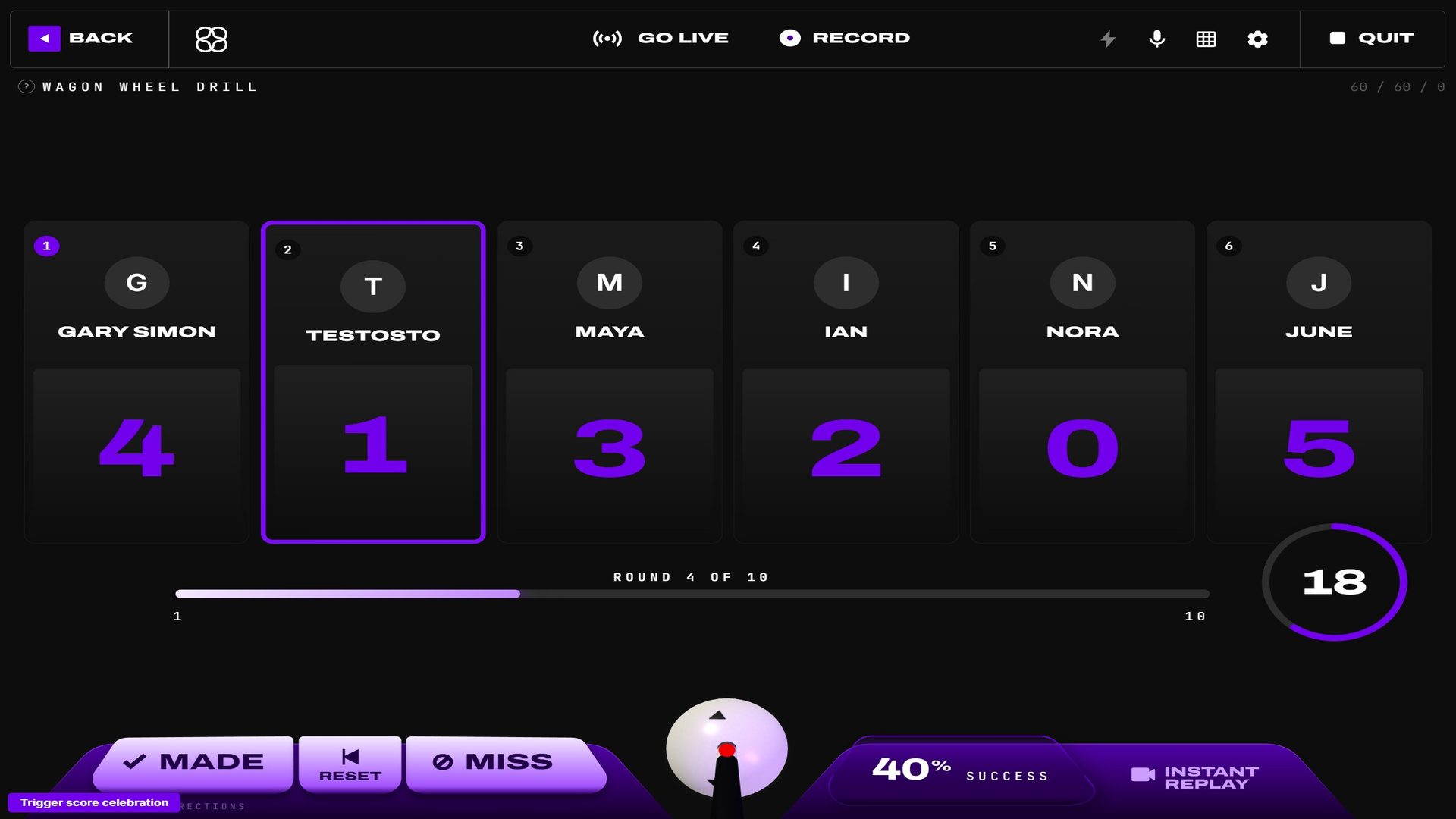 Local play keeps the active player, every score, the shot clock, and round position visible at once.
On a miss
Multiplayer drills play the creator's layouts in order, and the launch dialog (and the invite modal online) asks what a miss does:
- Repeat the layout (default unless the creator counts misses) — the player who missed replays that layout on their next turn while everyone who made it moves on. Each player keeps their own place in the drill, so a match of the Eight-Zone ladder can have one player on layout 4 and another still clearing layout 2. The match still lasts the configured number of rounds per player.
- Count it — a miss counts and everyone moves to the next layout together (the classic shared round).
1v1 matches
The classic head-to-head. From any drill's detail page (or the Poolseye game page), press Play online and pick an opponent from the online list. They get an invite popup; when they accept, you both land in a lobby. Everyone presses I'm Ready — the host too — which starts your table: it shows the layout but won't take a shot until the match begins. The host presses Start, and you alternate turns. The game screen shows every other player's live table, each under their name and score, with the shooter's table outlined in purple. Your own score, your actions and the standings are on the right. With Cast Table on, the shooter's live table is even projected onto your own felt while you wait. Every online game uses this screen: drills, Poolseye, Maze, STOPSHOP, GROUND ZERO, LAGZONE and SPEEDPOOL.
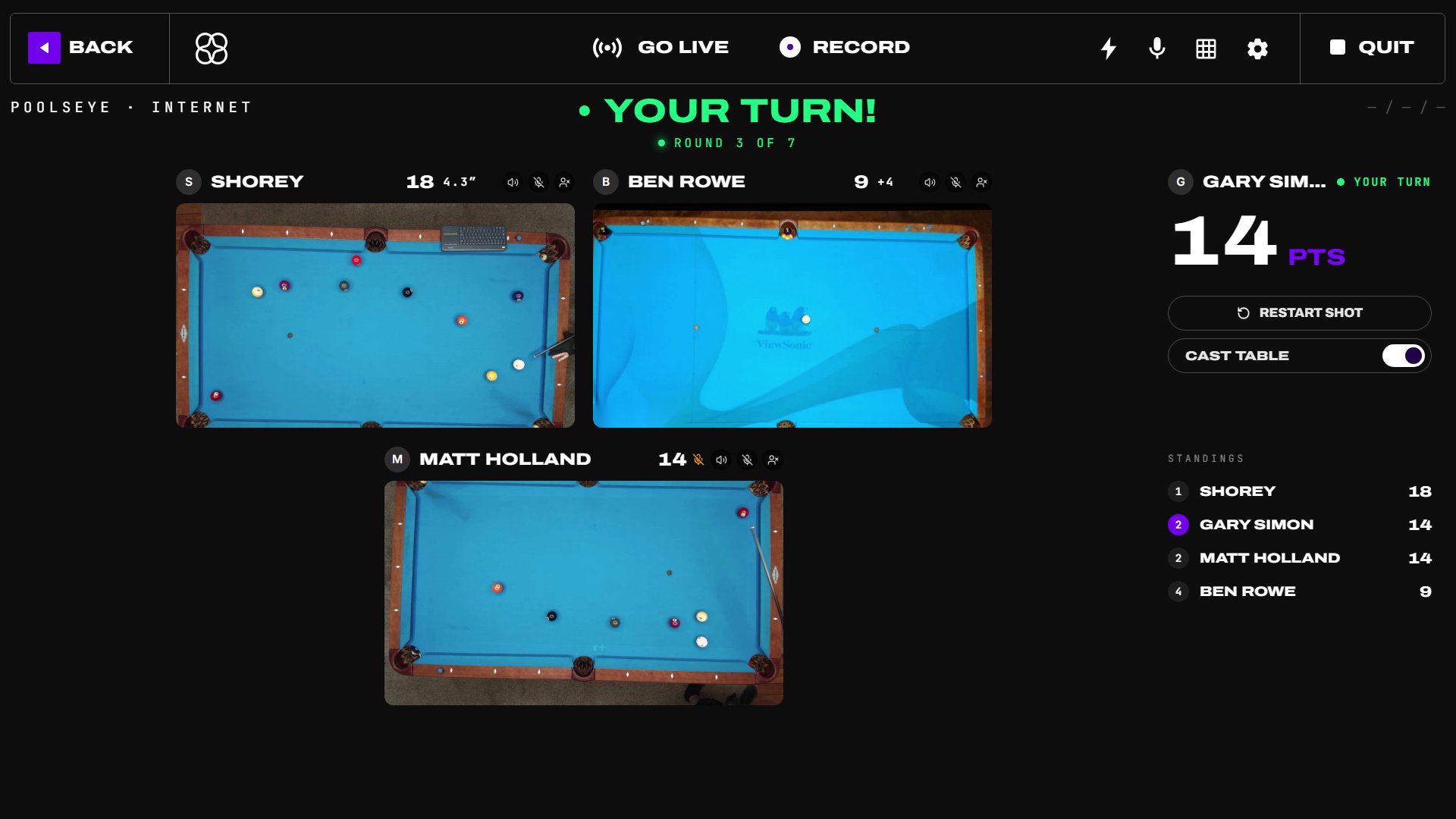 Every other player's table on the stage, the shooter's outlined; your score, actions and the standings on the right.
Group rooms (2–6 players)
When creating a match you can now choose a room size of up to 6 players. The lobby shows a card for every seat: who's connected, who's ready (a red pulsing ring means they're still setting up), and open seats you can fill with the Invite button.
Play is turn-by-turn — the same rotation you know from local multiplayer, but everyone is on their own table. The in-match screen shows the current shooter's camera up top and a score band with every player's card underneath.
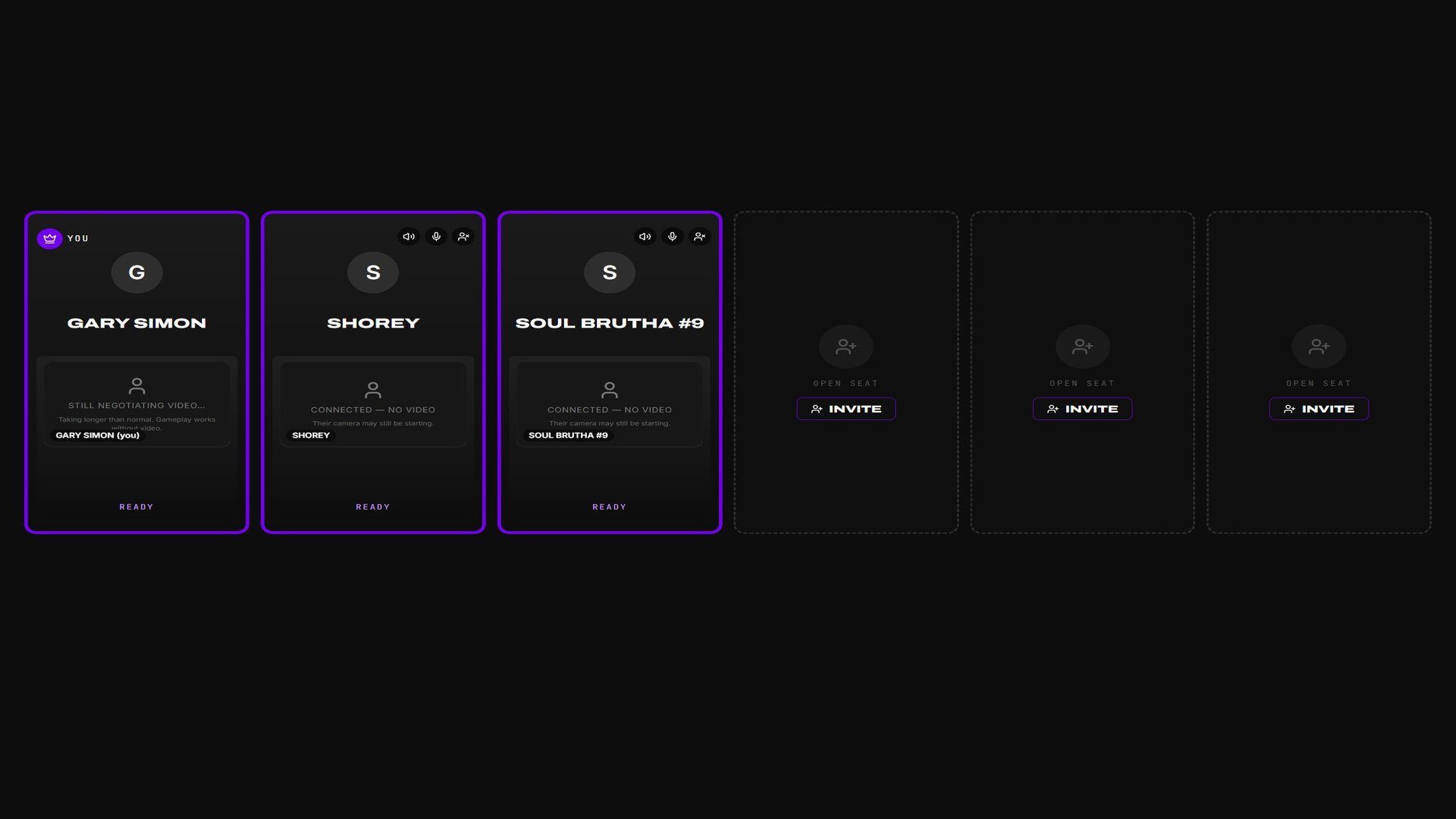 The host sees ready states, connected players, and open invite seats before starting.
Simultaneous play (Maze, STOPSHOP, GROUND ZERO)
When you invite someone to Maze, STOPSHOP or GROUND ZERO, Play style offers Turn by turn or Simultaneous. Maze starts on Simultaneous.
In a simultaneous match everyone plays each round at the same time, on their own table and at their own pace — nobody waits through anyone else's turn, and nothing is cast onto your table. A round is one Maze layout, or one STOPSHOP / GROUND ZERO shot. Finish early and your screen shows WAITING FOR {name} with their live table; the next round starts for everyone the moment the last player finishes. Each player gets their own layouts, and a player who drops out for a minute while everyone else waits scores 0 for that round (they stay in the match). In Maze, each player's card counts the layout they're playing leg by leg, so you see their score move as they go.
Recordings and streams show every table still playing the round side by side; a player who finishes drops out, and the last one left fills the frame. Everyone in the room needs the latest FusionCue — the lobby names anyone who has to update before the match can start.
Snooker drills online
When the drill is a snooker drill with more than one layout, only the host is asked whether to play the layouts in order or shuffled. Every table then builds the same order, so a given round is the same layout on every rig. Each turn is one attempt at that round's layout — a miss moves the match on to the next round rather than replaying the same layout.
Snooker uses the same synchronized shooter stage and score band while every rig follows the host's layout order.
Ties and sudden death
If the last round ends with the lead shared, the match does not stop. The tied players (two or more) each shoot one more round while everyone else sits out, and that repeats until one of them leads. The progress rail adds TIEBREAK N beside the round count while it runs. After five sudden-death rounds a persistent tie is called a tie. A scoreless tie ends as a draw with no extra rounds. Local multiplayer and Poolseye use the same rule.
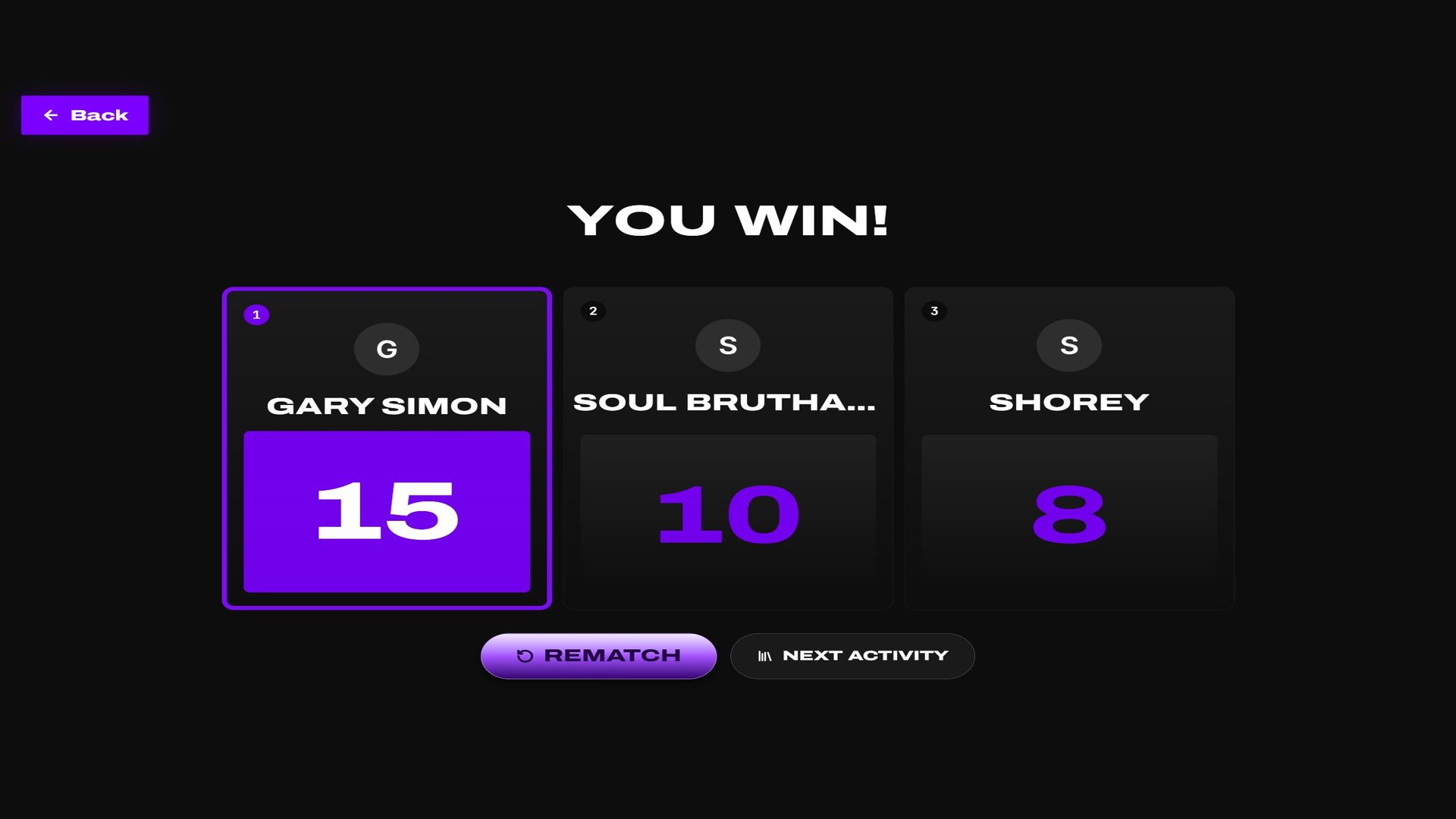 The shared result screen ranks the room and keeps rematch and next-activity actions available.
Correct a score
Select a player's table, their row in the standings, or (local multiplayer) their score card after they have completed a turn. Choose any completed round, then use the number control to correct its score — that is the only field. Balls follow the score automatically (a snooker or Poolseye round is one ball made or missed). The match total updates immediately. A Maze round can be set below zero: step down with − or type the minus sign.
In local multiplayer, every player can be corrected. In an internet match, each player can correct their own rounds and the host can correct anyone's. Result-screen cards remain selectable, so a mistake noticed at the end can still be fixed and the winner is recalculated for everyone.
Player cards remain the entry point for completed-round correction during and after the match.
Host controls
The room's creator is the host and gets moderation controls on every player card:
- Mute for everyone — silences that player's microphone for the whole room until you unmute them.
- Remove from match — boots the player. Their scores up to that point stay on the board.
Every player (host or not) also has a personal mute for me toggle per player — that one only affects what you hear.
The host can also move the whole room to a new drill or game at any time: from the lobby with Change drill / game, or mid-match with New drill / game at the top right of the play screen. Everyone follows into the new lobby automatically and the match you left is closed. The same action is available on the phone or tablet remote.
Open tables
Want players without inviting anyone? Select Open a table — on the dashboard, the Live Play page, or the online player screen. Pick the game or drill, the attempts, the room size, and (for Poolseye) the target size on the table preview, then:
- Leave Schedule for later off to open a 2–6 player room right away. It appears on the Open tables rail, and FusionCue simultaneously sends a 20-second popup and notification sound to signed-in members who are actively using the app.
- Flip Schedule for later on, pick a start time and length, and the same table becomes a Live Play listing. Any game can be scheduled — drills, Poolseye, LAGZONE, Maze, STOPSHOP, GROUND ZERO and SPEEDPOOL — and it plays with the settings and play style you picked. The popup goes out to everyone active 10 minutes before the start (or right away when the start is less than 10 minutes out). I'm in on the popup RSVPs for a seat and opens the listing.
The popup slides up in the bottom-right corner wherever you are in the app; it never interrupts a multiplayer game you are already in. An unattended app is marked idle after ten minutes and is not interrupted.
The first player to select Join claims the open seat atomically. When the last seat is taken, every other popup changes to Sorry, this room is full and closes 10 seconds later. Hosts can keep only one room open and can initiate at most five internet matches in a rolling hour.
To stop receiving open-room popups and sounds, turn off Multiplayer match notifications in Settings → Notifications. You can jump there directly from the popup's cog icon. Direct invitations from a player you appear online to remain separate.
Public rooms use the same visible open-seat and Invite controls as private group rooms.
Scheduled nights
Group rooms work with Live Play scheduling: create a Live Play event, pick a room size of 2–6, and players RSVP for seats. Everyone who RSVP'd gets reminders at 24 hours and 1 hour, plus a notification the moment the room goes live that takes them straight to the lobby. Ten minutes before the start, everyone actively using the app also gets the open-table popup, so a half-empty room can still fill.
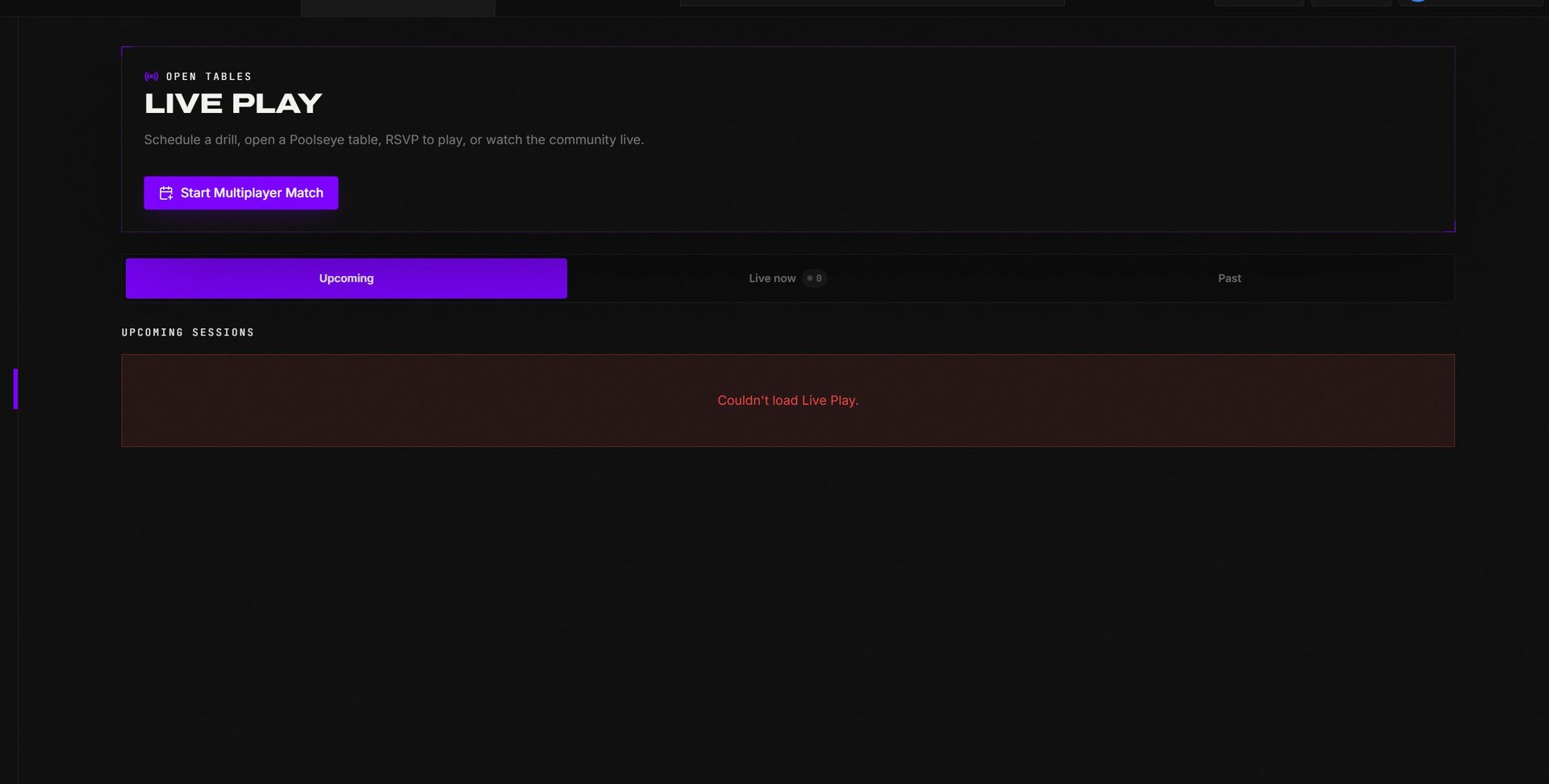 Live Play is where hosts schedule a room, track audience time, and launch the event.
Voice chat
Matches carry live voice between all players. Your mic button is in the session header; you start muted in the lobby until you unmute. Group rooms use FusionCue's media service for voice and camera feeds when available and fall back to direct peer-to-peer automatically — you don't need to configure anything.
The session header keeps microphone state beside the current live shooter.
The header's mic icon opens two switches: Microphone mutes you for your opponents, and Voice commands decides whether your speech can control the table — turn it off to talk freely during a match. Joining a table while a solo drill is running ends that drill first (its recording saves as usual), so nothing from it stays projected under the match.
The final round ends only after every player in the rotation shoots. Every participant then receives the same results screen and celebration; a missed live update is recovered from the saved result automatically.
Live Play credits
Interactive media time (watching Live Play events, and group-room media service usage) draws from your monthly included minutes, shown on the Live Play page. If you run out, you can top up from the same meter — and even with no time remaining, matches keep working over the peer-to-peer fallback.
Included interactive-media time and top-up access live on the same page as scheduled events.
When a turn gets stuck
Online matches have no shot clock: a turn ends when that player's table calls their shot. When the turn comes to you, a note under the header says how the other player's turn ended — for example "vizardknight · OUT OF FUEL — your turn".
Click any player's name (the score pill or their card) to open their actions. This works in drills, Poolseye, Maze, STOPSHOP and GROUND ZERO:
- Give {name} the turn — their turn ended by mistake (a hand near the ball read as a shot, a misread) and you haven't shot or scored yet. Their round is voided, they shoot it again, and your turn comes after. The note that tells you why it's your turn has the same Give it back button (tap twice).
- Pass my turn — you're the shooter and want to hand play over now. Your turn ends with whatever you've already banked this round.
- Skip their turn (host only) — the current shooter's rig is stuck or they've dropped. Their round is recorded as a forfeit and play moves on.
- New layout / New target (Maze, STOPSHOP, GROUND ZERO) — on the shooter's card while their layout can still be redrawn. The same button sits beside the headline.
- Correct score — fix a round that was scored wrong.
In a drill, the shooter also gets RESET on the game screen until their first shot of the turn: the round's balls go back to their spots. The R key works as before.
Only the player whose turn it is can give it away — nobody can take a turn. The same Give {name} the turn is on the phone remote and in same-table multiplayer (tap a player's card).
At one table, tap a player's card for the same kind of help in every game: Give {name} the turn, Pass {name}'s turn on the shooter's card (their turn ends with what they've banked, and play moves on), New layout / New target in Maze, STOPSHOP and GROUND ZERO, and Correct score. A pass made by mistake can be undone with Give {name} the turn. SPEEDPOOL and LAGZONE have their own card menus: see SPEEDPOOL and LAGZONE.
Every action is confirmed before it applies and shows up in the match's round history. A short connection drop no longer costs anyone a turn: your table waits for the match the moment your shot resolves, and a turn result that couldn't be delivered is re-sent automatically once the link is back. While it's on its way you'll see Sending your result…, with Resend after a few seconds — no need to pass the turn.
Troubleshooting
- "This room is no longer available" — the host closed the lobby or the room filled before you joined. Pick another open table.
- No room popup appeared — FusionCue only alerts members active in the last ten minutes. Check Settings → Notifications and make sure Multiplayer match notifications is on. A scheduled table alerts 10 minutes before it starts, not when it is created.
- A player shows "Connecting…" forever — their network is blocking the connection; ask them to leave and rejoin the lobby.
- Start stays greyed out — the button names who hasn't pressed I'm Ready yet; "Press I'm Ready first" means the host.
- You were removed by the host — your own practice session keeps running; only the match ends.
The lobby exposes connected, ready, and open-seat states before anyone starts the match.